AscenWork’s SharePoint Document Management System (M365 DMS) centralizes all your business documents within Microsoft 365, making them secure, searchable, and easy to manage. Our SharePoint DMS improves compliance, reduces document retrieval time, and simplifies collaboration for teams. SharePoint Document Management System provides a centralized platform to store, organize, and manage digital documents efficiently. It simplifies document access, retrieval, and sharing, enhancing collaboration and productivity for businesses.
Get a Free Demo of M365 based DMS
DMS Features
OCR Conversion
Dynamic Permission
Auto Folder Creation
Metadata
Approvals
Version Control
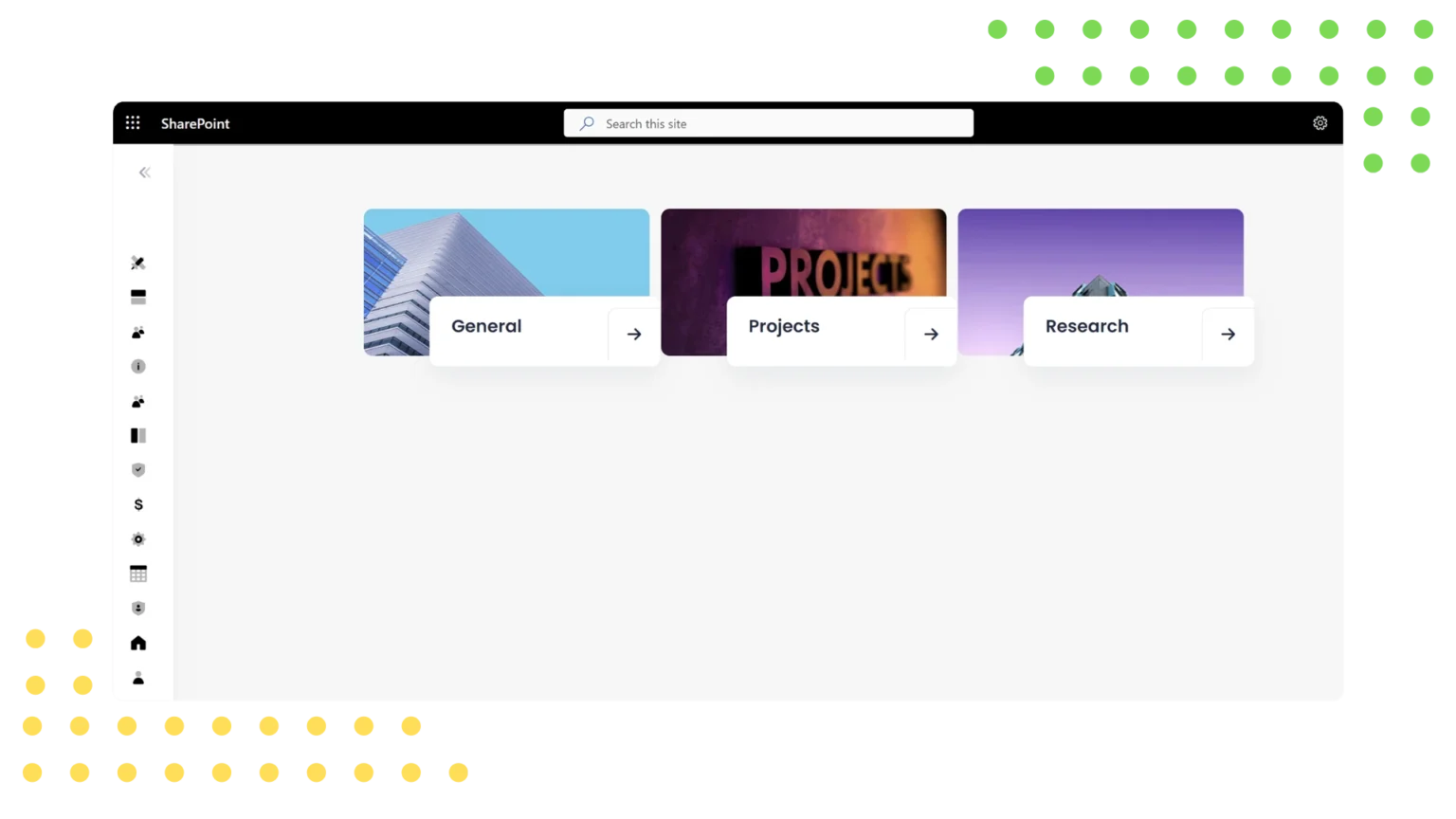
1. Multi Repository Creation
AscenWork’s Top Sharepoint Dms development company enables users to create multiple repositories within a single document repository. This feature allows for the organization of documents into distinct sections based on projects, departments, or other criteria. By facilitating multi-section creation, AscenWork’s document management software enhances organization and accessibility, making it an ideal choice for structured document storage. With AscenWork, users can efficiently manage various document sections, positioning it as a leading best dms software development company for complex document hierarchies.
2. Multi Repository Permission
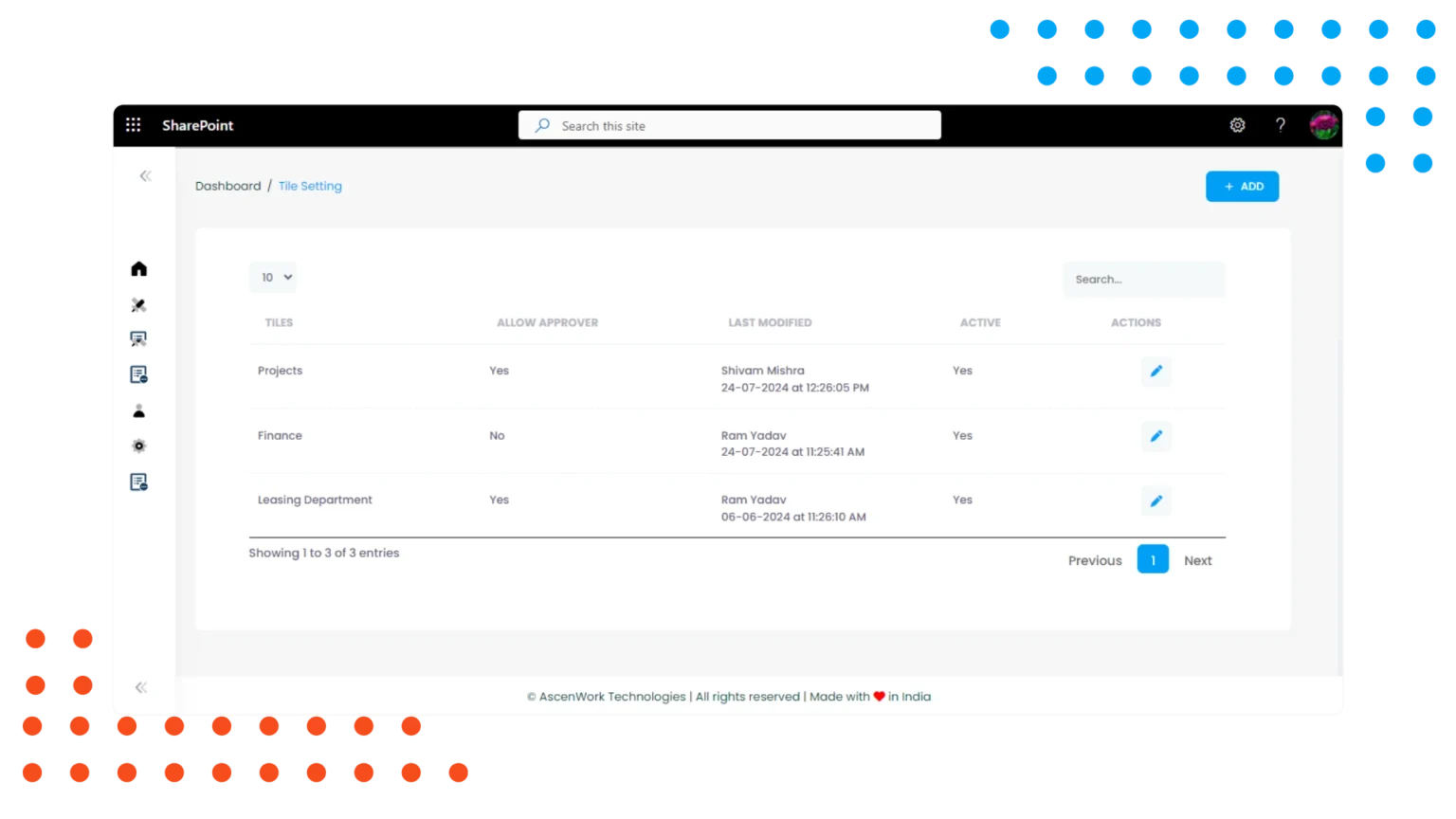
AscenWork’s custom dms software development company offers robust multi–section permission management. This feature allows administrators to set specific access controls for different document sections, ensuring that only authorized users can view or edit certain sections. By providing granular permission management, AscenWork enhances security and compliance, making it the best document management software for managing sensitive information. This capability ensures that the right users have the appropriate access, supporting efficient and secure document collaboration.
3. Projects Definition
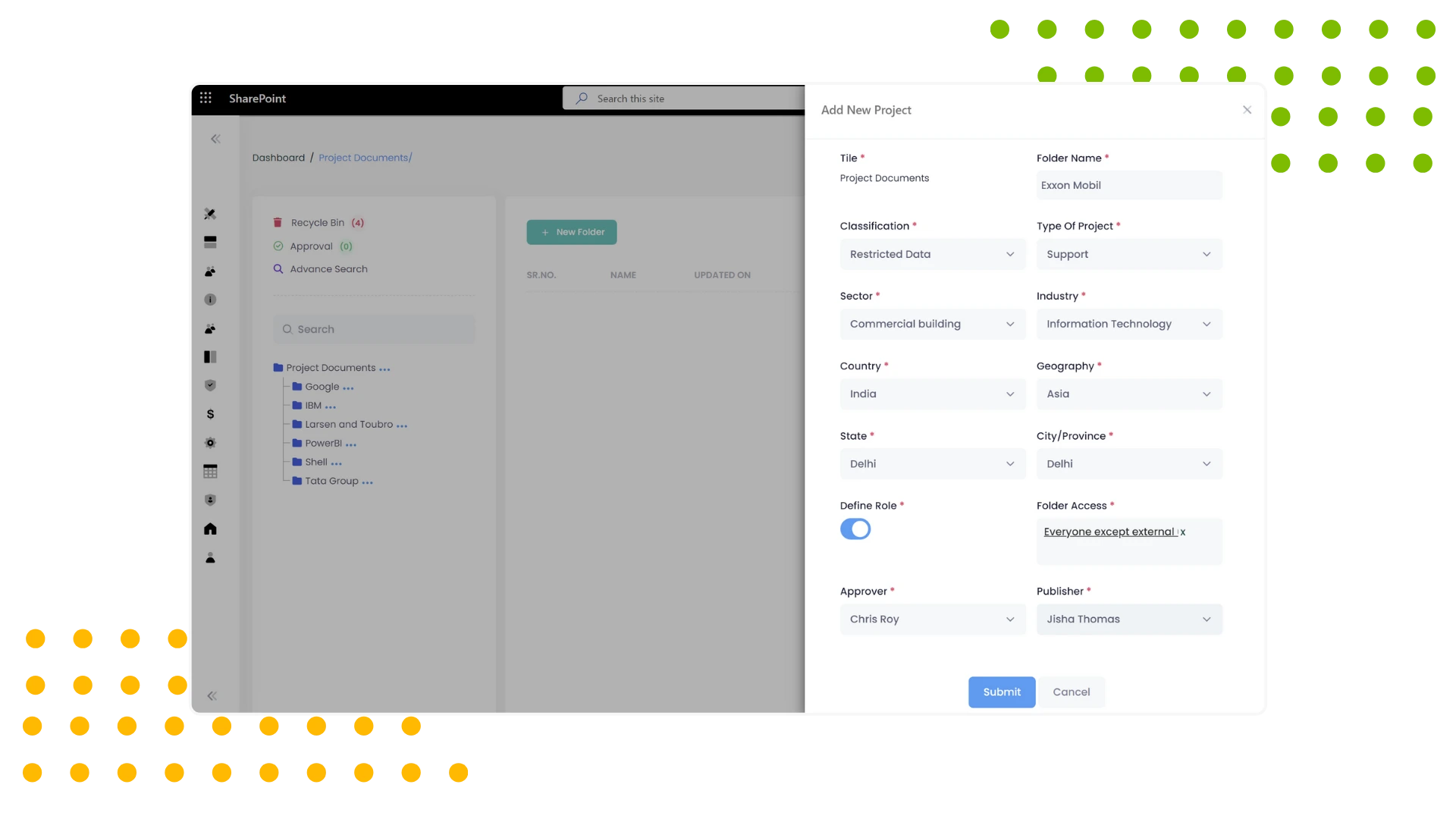
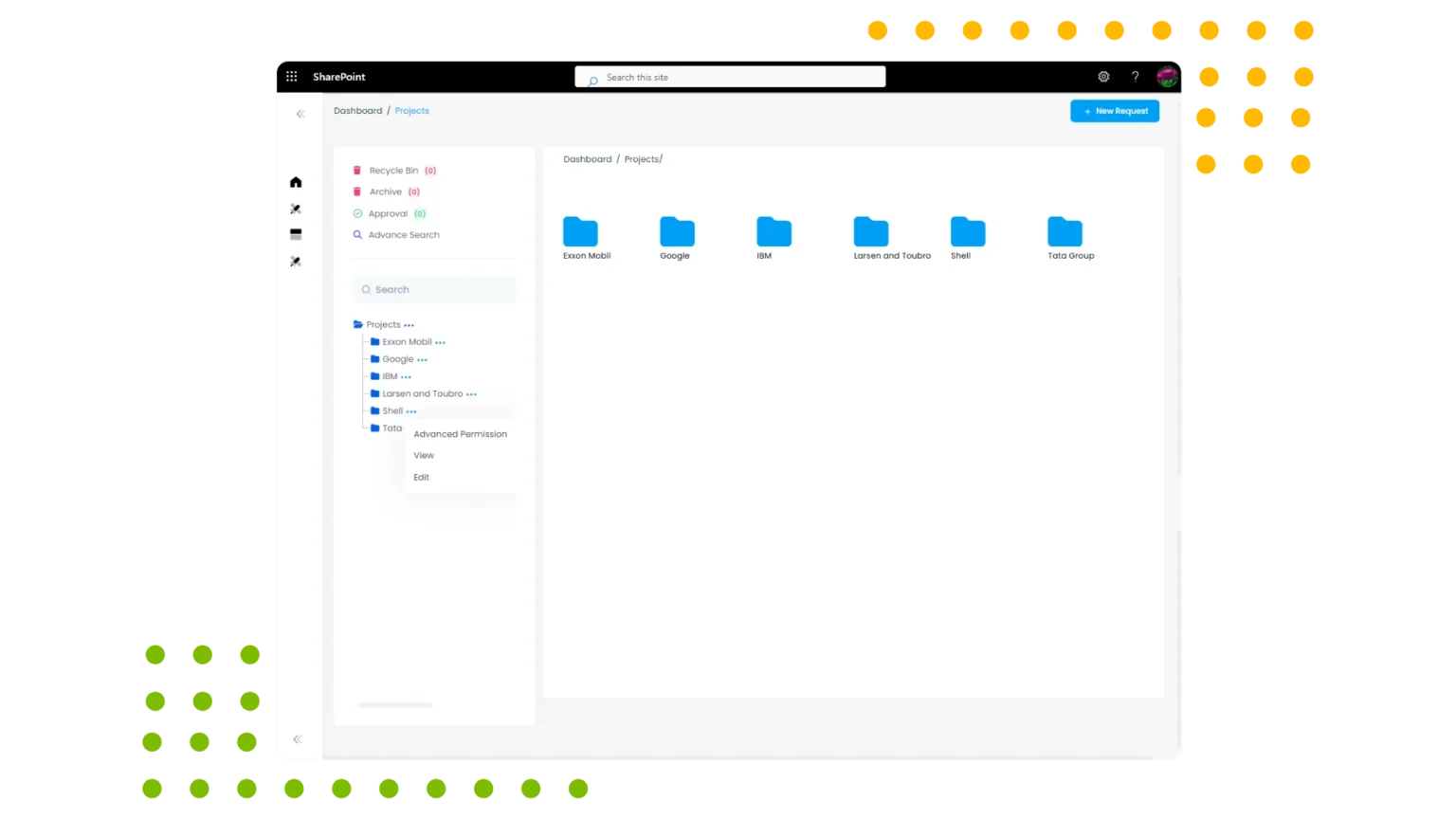
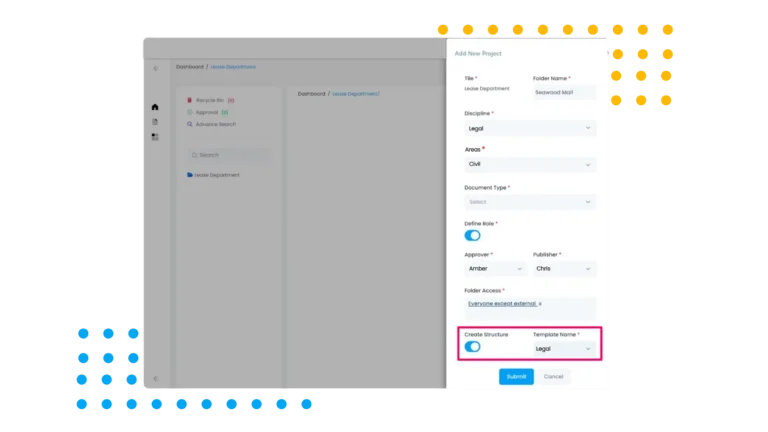
AscenWork’s SharePoint DMS Software services includes a project definition feature, allowing users to create and manage documents by project. This feature supports the organization of documents under specific projects, facilitating easy tracking and retrieval. By integrating project definition into document management, AscenWork enhances project-based collaboration and efficiency, making it an ideal SharePoint document management system for project-centric organizations.
4. Folder creation
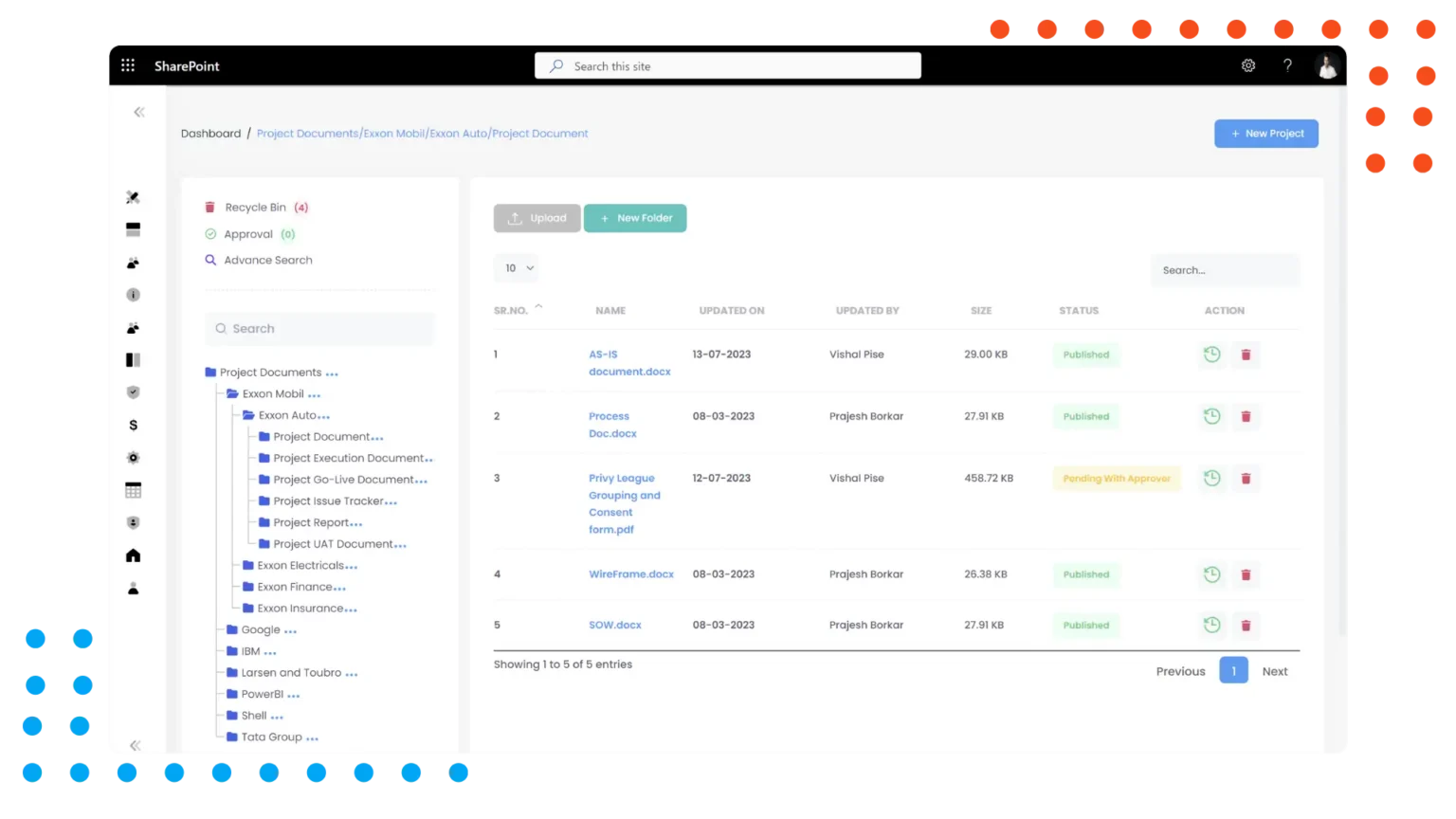
AscenWork’s SharePoint DMS Software Feature supports Manual and Auto folder creation, enabling users to organize documents into hierarchical structures. This feature allows for the creation of folders and subfolders, providing a clear and organized repository for document storage. By simplifying folder creation, AscenWork enhances document organization and accessibility, making it a top choice for online document management system users seeking structured document storage solutions.
5. Sub–Folder Creation
AscenWork’s document management system SharePoint extends folder organization capabilities by supporting subfolder creation. This feature allows users to create nested subfolders within primary folders, further enhancing document organization. By facilitating detailed hierarchical structures, AscenWork’s document management software ensures that documents are easily navigable and accessible, making it a premier Microsoft document management system for comprehensive document management.
Enhance Productivity With AscenWork Today
Trusted by multiple leading companies6. Document Upload
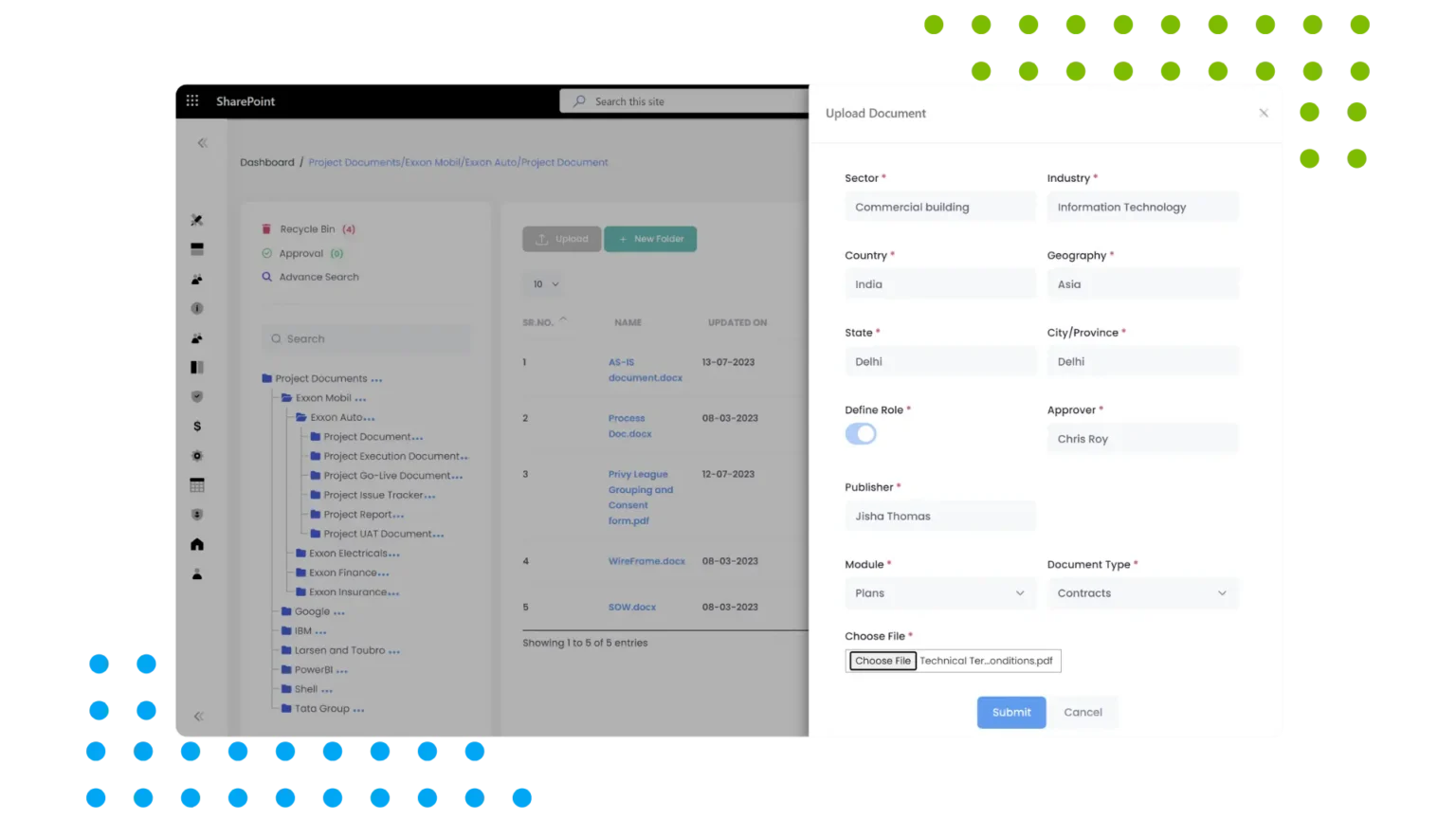
AscenWork’s document management system SharePoint streamlines document upload, allowing users to easily add files to the repository. This feature supports various file types and sizes, ensuring that all necessary documents can be stored and managed. By simplifying document upload, AscenWork enhances efficiency and usability, positioning it as the best SharePoint document management software for seamless document handling.
7. Document Collaboration
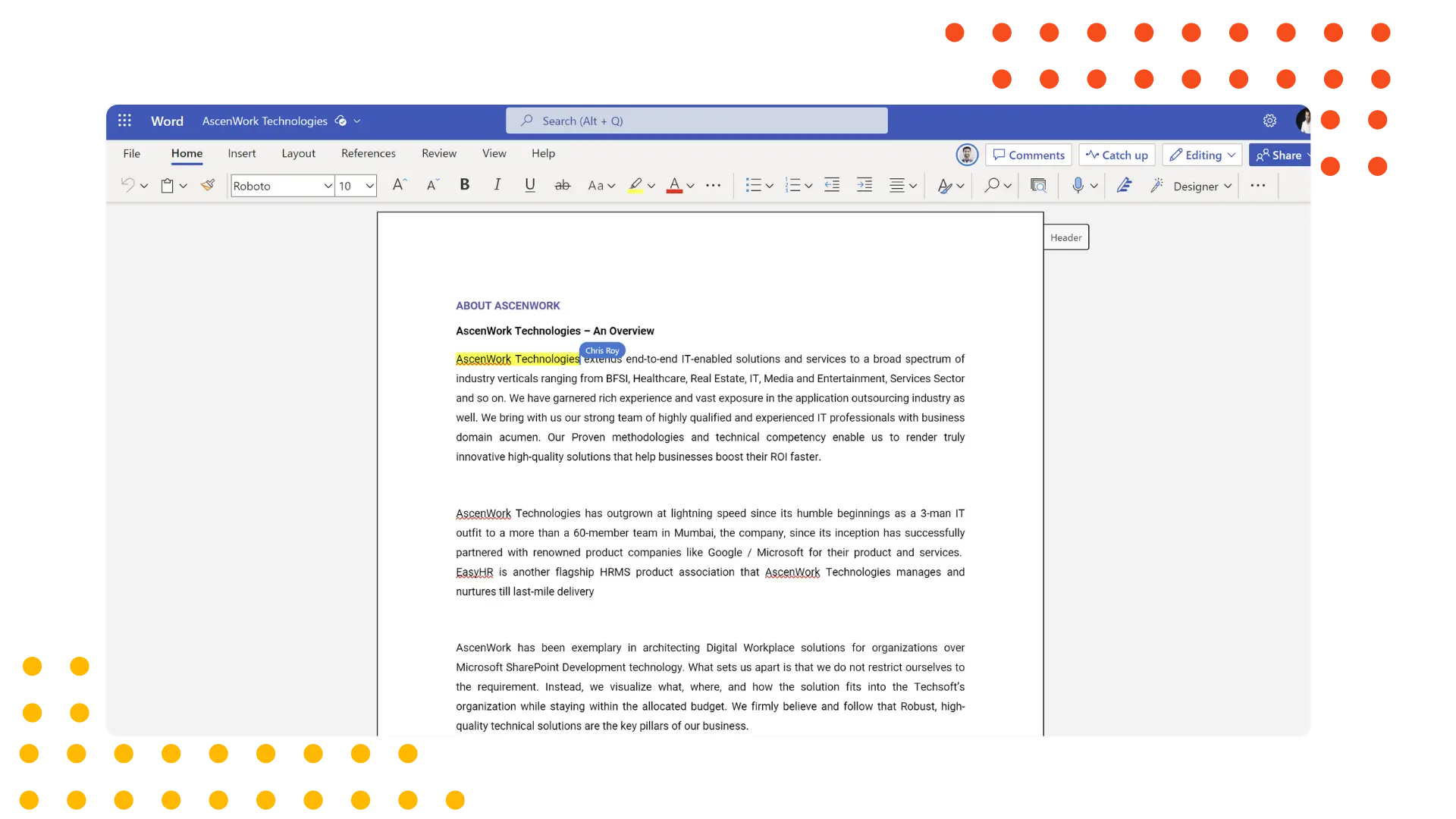
AscenWork’s document management system SharePoint promotes document collaboration, enabling multiple users to work on documents simultaneously. This feature supports real-time editing, comments, and version tracking, ensuring effective teamwork. By facilitating collaborative document creation and management, AscenWork enhances productivity and communication, making it an essential SharePoint DMS for collaborative work environments.
8. Metadata Management
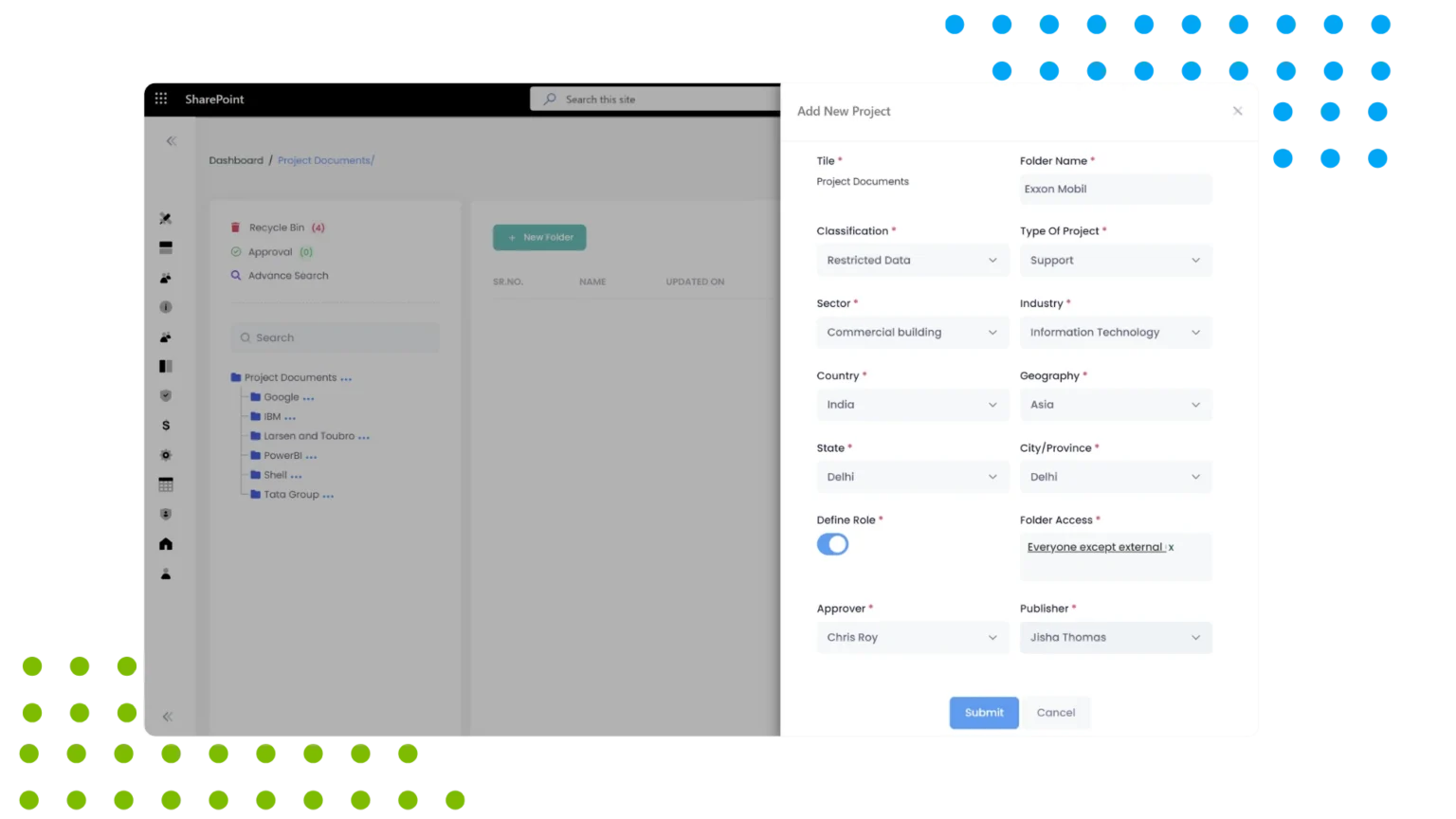
AscenWork’s document management system SharePoint includes metadata management, allowing users to add, edit, and manage metadata for documents. This feature supports detailed document categorization and searchability, enhancing organization and retrieval. By providing robust metadata management, AscenWork’s document management software ensures that documents are easily discoverable, making it a leading online document management system for metadata-driven document management.
9. Document Searching Content and Metadata Search
AscenWork’s document management system SharePoint enables content and metadata search, allowing users to find documents based on content keywords and metadata tags. This feature supports detailed and accurate document retrieval, enhancing usability. By providing advanced search capabilities, AscenWork’s document management software ensures that users can quickly locate the documents they need, making it a premier SharePoint document management system for efficient document search.
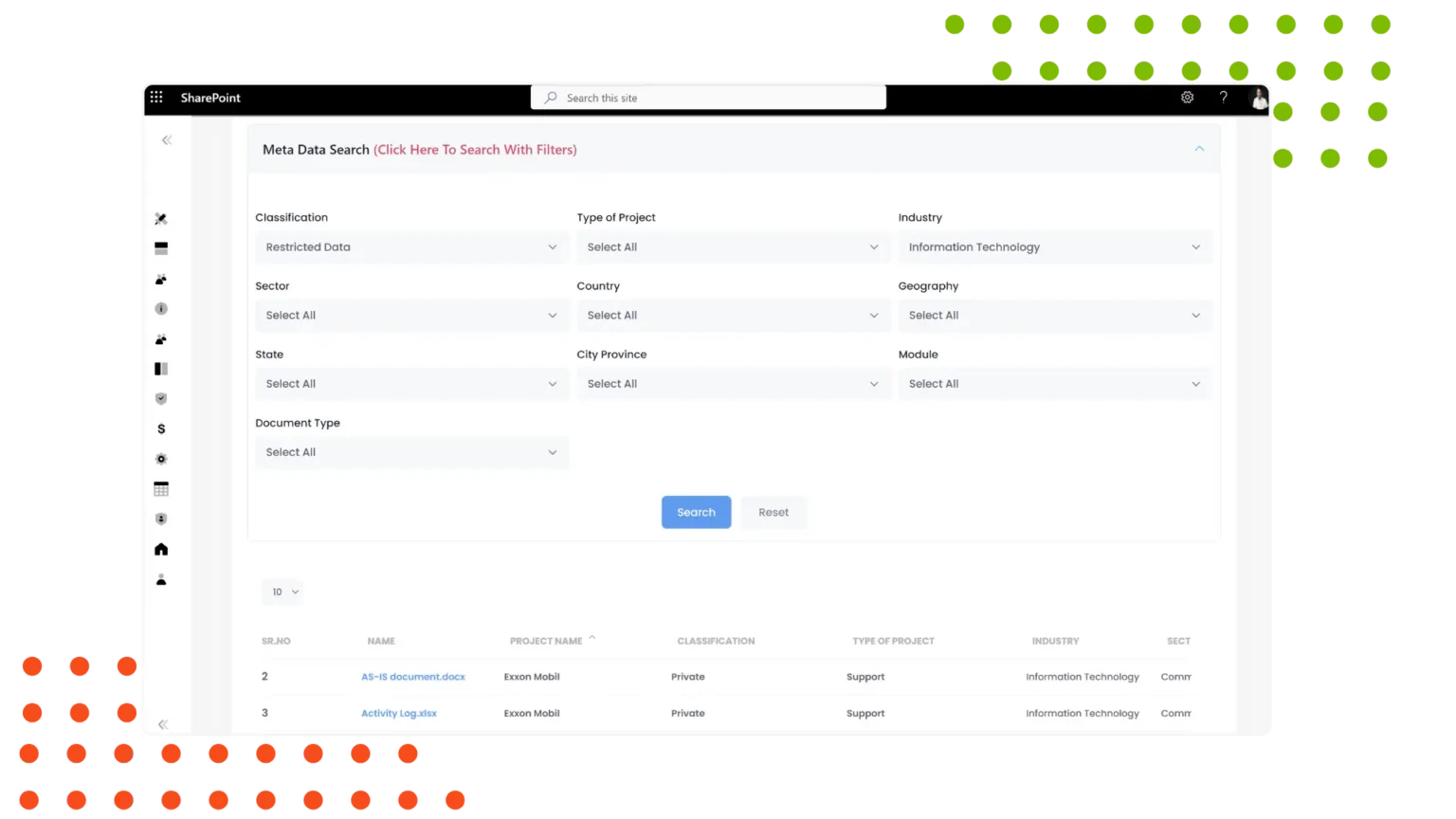
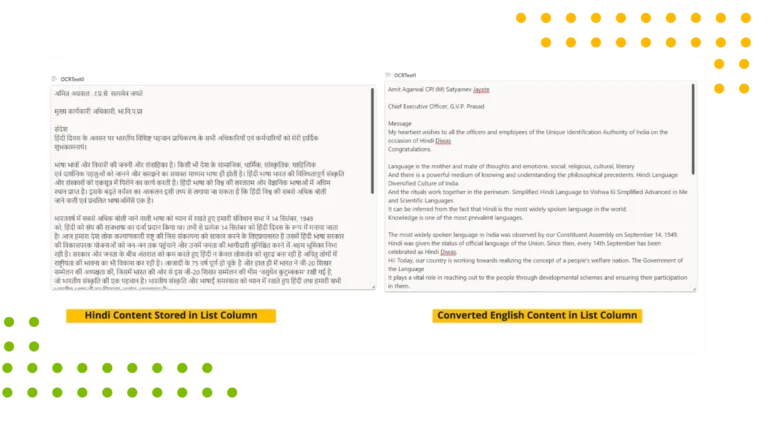
10. OCR Language
The OCR (Optical Character Recognition) Language Conversion feature in a Document Management System (DMS) enhances accessibility and usability by automatically recognizing and converting text from various languages within scanned documents and images. This feature is crucial for businesses dealing with multilingual documents, as it allows the system to extract and convert text into editable, searchable formats, regardless of the original language.
When a document is uploaded, the OCR engine detects the language used and converts it into the desired text format, enabling users to perform keyword searches, edits, and translations. This helps in managing international document repositories, eliminating manual transcription, and improving operational efficiency. The feature supports multiple languages, catering to global businesses, and ensures the accuracy of text conversion. By integrating OCR Language Conversion, organizations can streamline document workflows Automation and enhance collaboration across language barriers in their DMS.
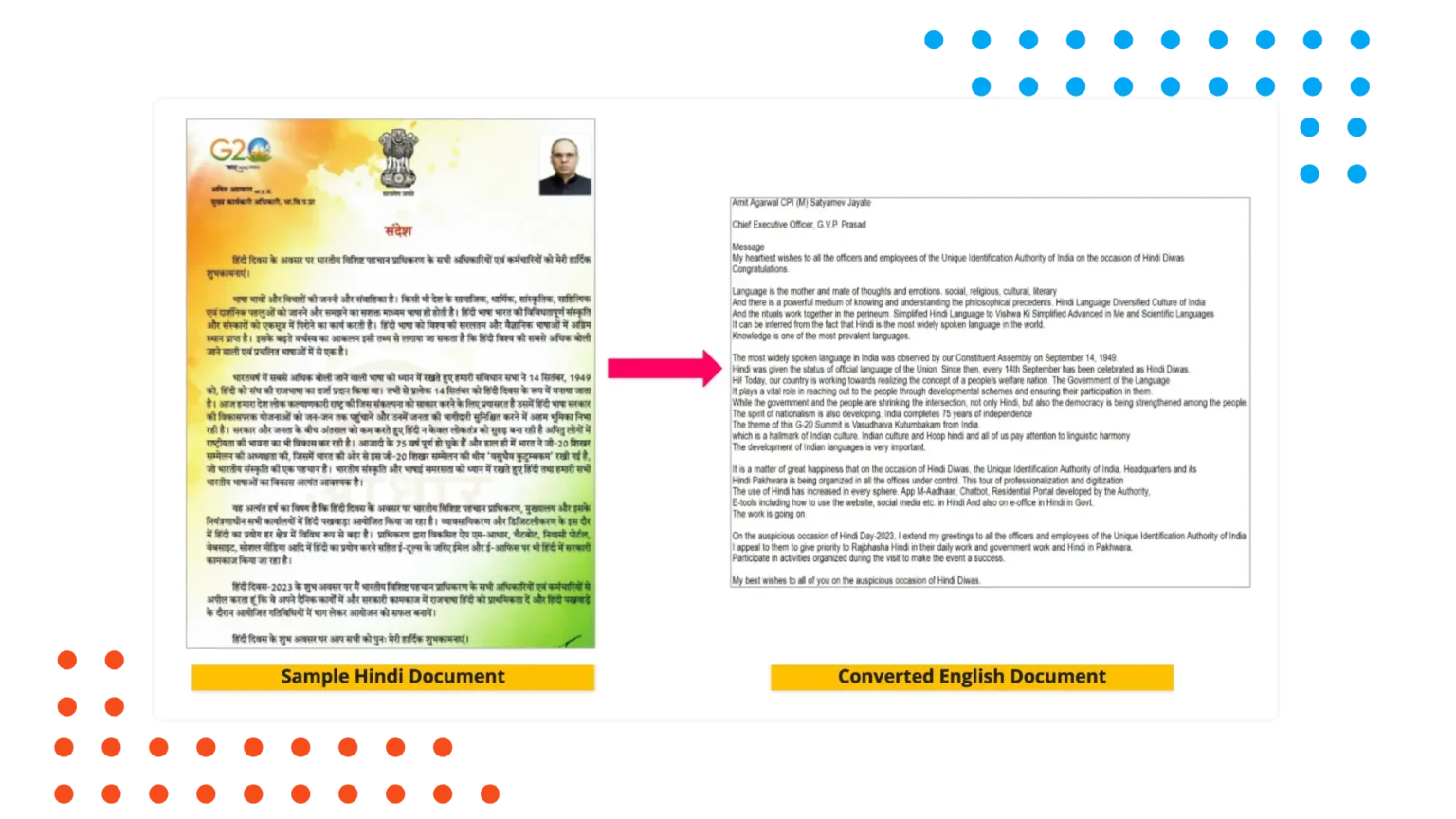
11. OCR Image to text
The OCR (Optical Character Recognition) scanned-to-editable, searchable conversion feature in a Document Management System (DMS) allows users to transform scanned documents or images into machine-readable and editable text. This feature is vital for organizations that deal with physical documents, enabling them to digitize paper-based files and make the text content fully accessible for search, modification, and retrieval.
Once a document is scanned and uploaded, the OCR engine automatically extracts the text, converting it into formats such as Word, PDF, or Excel. This conversion enhances document management by allowing users to search for keywords, copy and paste text, or edit content directly, rather than manually retyping. This functionality saves time, reduces human error, and improves productivity. By enabling editable and searchable text, businesses can better organize and access their information for faster decision-making and reporting.
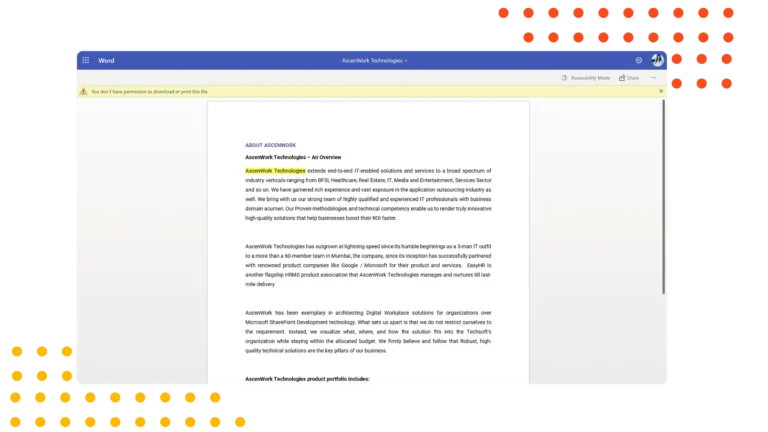
12. Document view
AscenWork’s document management system SharePoint offers robust document view capabilities, allowing users to view documents directly within the platform. This feature supports various file formats, ensuring that users can access and review documents without additional software. By enhancing document viewing, AscenWork improves user experience and efficiency, making it the best online document management system for seamless document access.
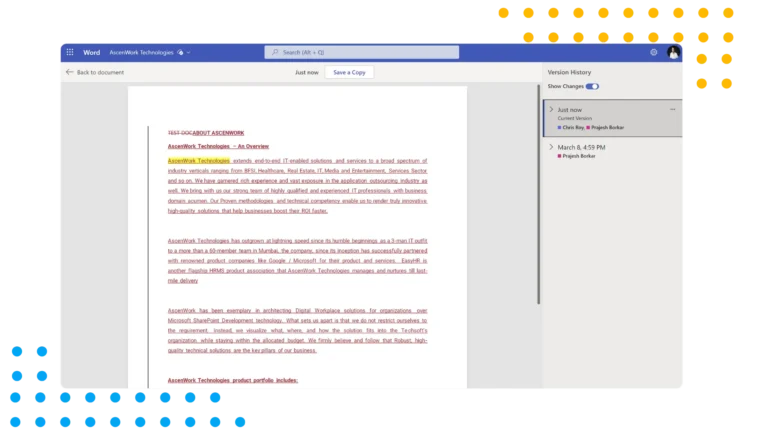
13. Document Version Management
AscenWork’s document management system SharePoint includes comprehensive document version management. This feature tracks and manages multiple versions of a document, allowing users to view, compare, and restore previous versions. By providing detailed version history, AscenWork enhances document control and accountability, making it the best document management software for version tracking.
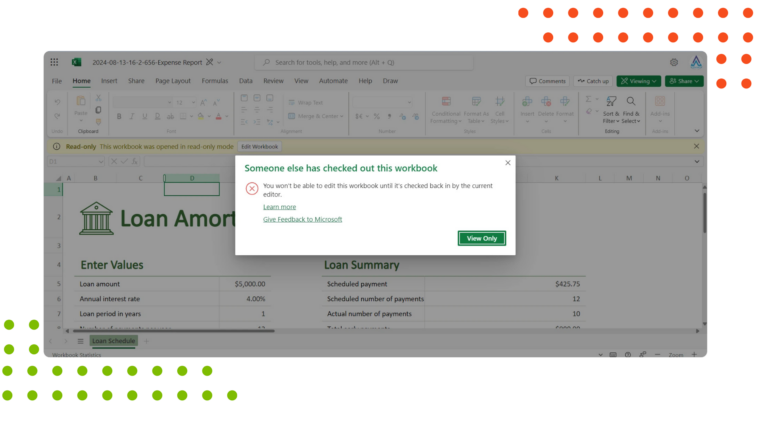
14. Document Check-In/Check-Out
AscenWork’s document management system SharePoint offers check-in/check-out functionality, ensuring document integrity during editing. This feature prevents simultaneous editing conflicts by allowing users to check out documents for editing and check them back in upon completion. By enhancing document control, AscenWork’s document management software supports efficient and conflict-free collaboration, positioning it as a leading Microsoft document management system.
15. Realtime Document Editing
AscenWork’s document management system SharePoint supports real-time document editing, enabling multiple users to edit documents simultaneously. This feature enhances collaborative efforts and ensures that changes are instantly visible to all contributors. By providing real-time editing, AscenWork improves productivity and teamwork, making it an essential SharePoint document management system for dynamic work environments.
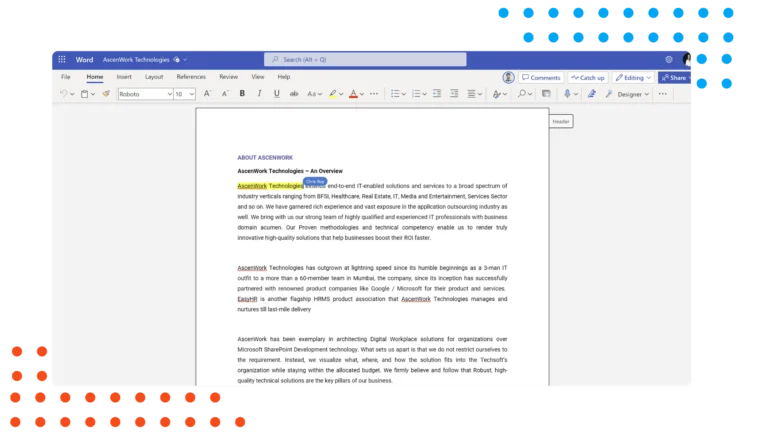
16. Co-Authoring
AscenWork’s document management system SharePoint facilitates co-authoring, allowing multiple users to collaborate on document creation and editing. This feature supports simultaneous contributions, enhancing collaborative document development. By enabling co-authoring, AscenWork’s document management software fosters teamwork and efficiency, making it a premier online document management system for collaborative projects.
17. Automatic Document Renaming
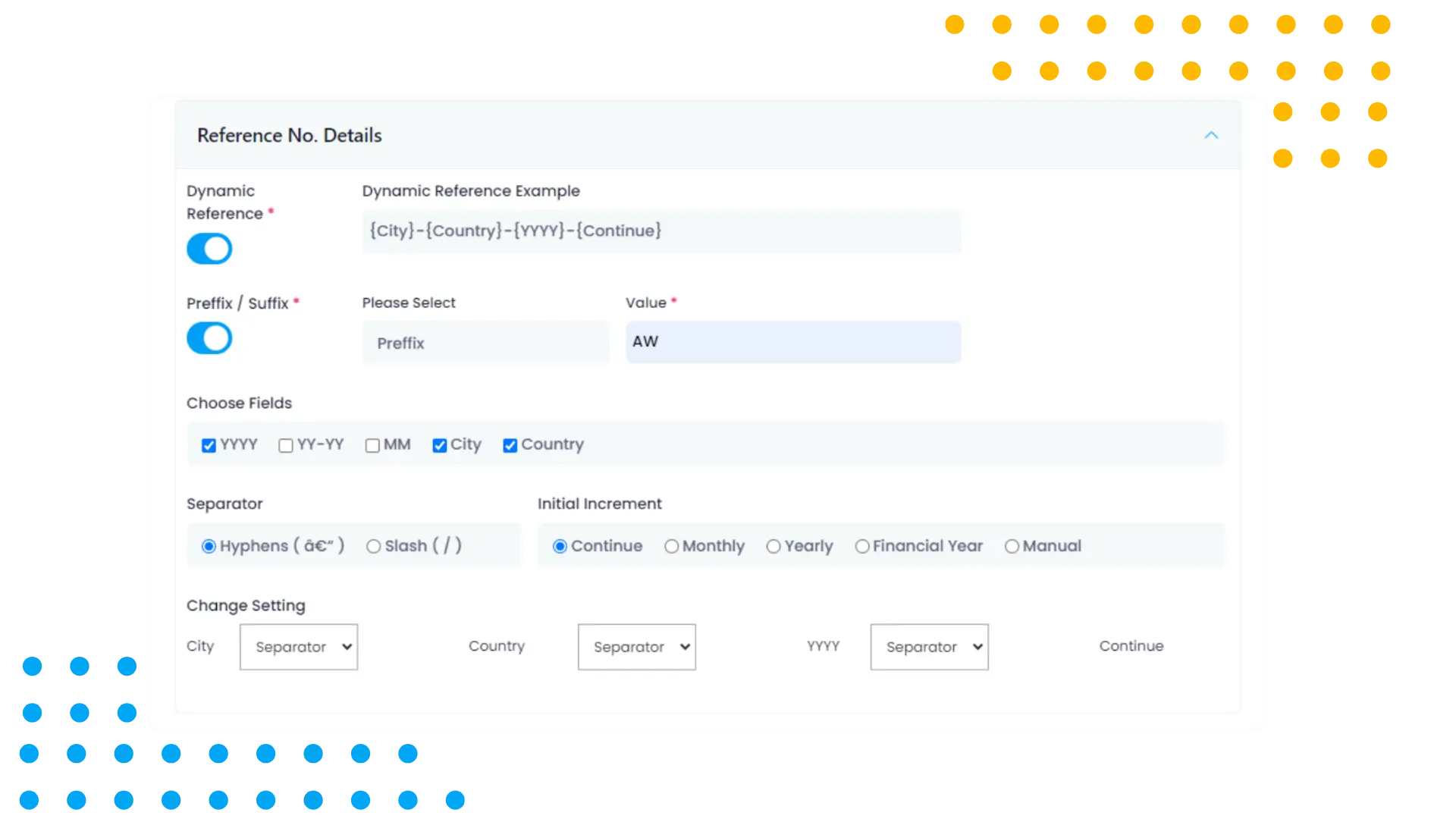
AscenWork’s document management system SharePoint includes automatic document renaming, streamlining document organization. This feature automatically renames documents based on predefined rules, ensuring consistent and descriptive filenames. By automating document renaming, AscenWork enhances document management efficiency and consistency, making it the best document management software for organized document storage.
18. Project Level Permission
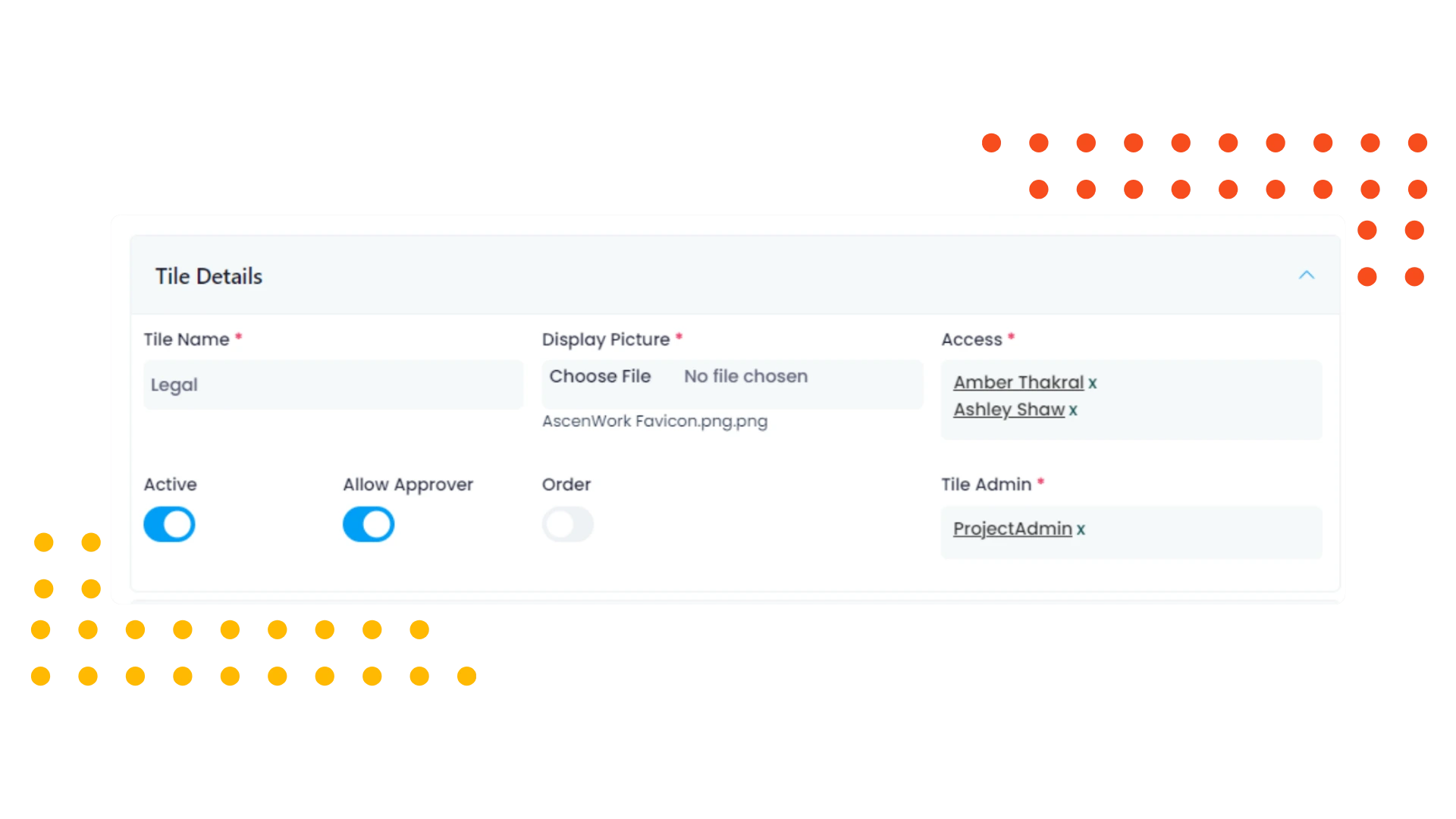
AscenWork’s document management system SharePoint supports project-level permission management. This feature allows administrators to set access controls for entire projects, ensuring that only authorized users can view or edit project documents. By providing project-level permissions, AscenWork enhances security and control, making it the best document management software for project-based access management.
19. Folder/Sub-Folder Permission
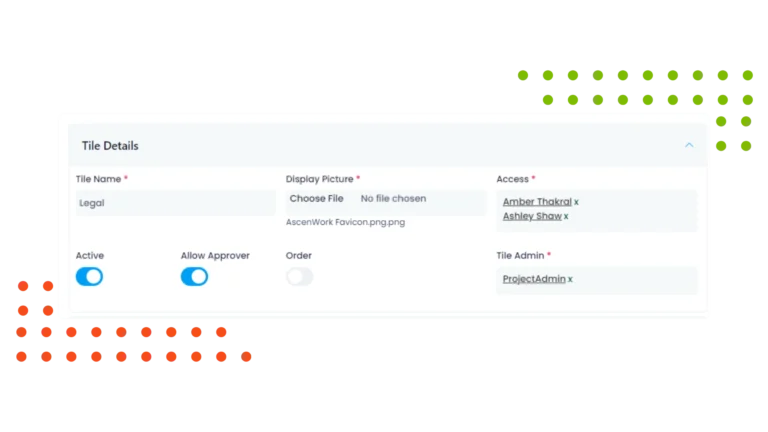
AscenWork’s document management system SharePoint includes folder and subfolder-level permission management. This feature allows administrators to set specific access controls for different folders and subfolders, ensuring that only authorized users can access certain document areas. By offering detailed permission management, AscenWork enhances security and compliance, positioning it as a leading online document management system.
20. Approval Management
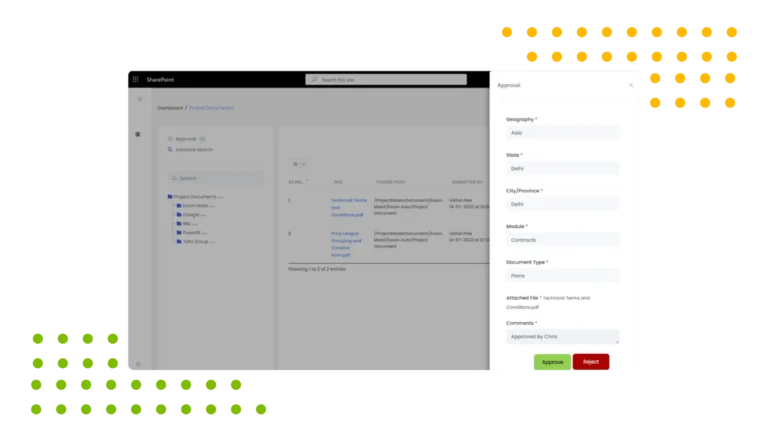
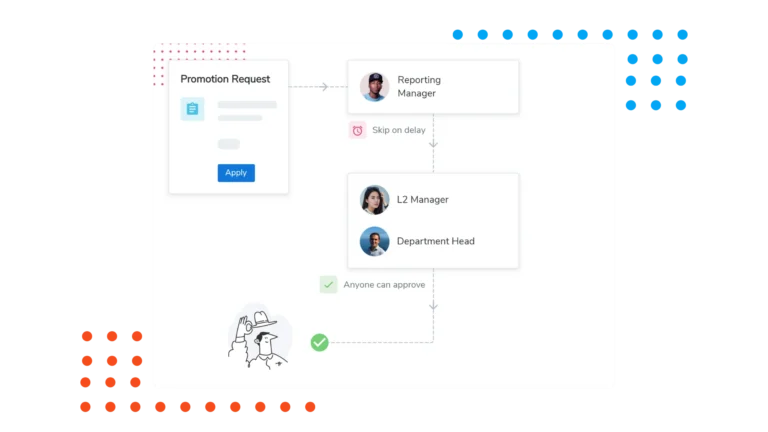
AscenWork’s document management system SharePoint features robust approval management, streamlining the document approval process. This feature supports automated workflows for reviewing and approving documents, ensuring compliance with organizational standards. By providing structured approval management, AscenWork enhances control and accountability, making it the best SharePoint document management system for efficient document approvals.
21. Multi Level Approval Process
AscenWork’s document management system SharePoint supports approver and publisher-based approval processes. This feature allows designated approvers and publishers to review and approve documents, ensuring that all necessary approvals are obtained before publication. By integrating approver and publisher roles, AscenWork enhances compliance and control, positioning it as the best document management software for structured approval workflows.
22. Email Notifications
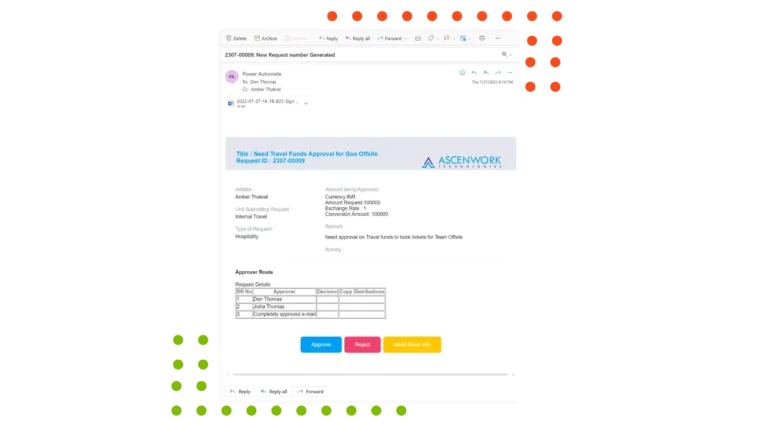
AscenWork’s document management system SharePoint includes email notification capabilities, keeping stakeholders informed about document activities. This feature automates notifications for approvals, updates, and changes, ensuring timely communication. By providing real-time updates, AscenWork enhances responsiveness and accountability, making it a leading Microsoft document management system for efficient communication.
AscenWork has built world class products on Microsoft 365
Have a question? check these answers.
A DMS is a software solution used to store, manage, and track electronic documents and images of paper-based information.
A DMS organizes documents in a structured way with features like folders, metadata, and tagging, making retrieval easy.
A DMS typically supports a variety of file formats including PDFs, Word documents, Excel spreadsheets, images, autocad files etc.
AscenWork DMS is built on top of SharePoint Online.We have completely configured and customized based on many clients requirements.
You can search by file name, content, metadata, tags, or other custom criteria.
Yes, access controls allow you to set permissions for users or groups to view, edit, or delete documents.
Yes, AscenWork DMS solutions offer collaboration where you can work on the same MS Office Files (Word/Excel/ PPT) simultaneously with multiple users working on the same document at once.
Version control allows you to track changes to documents over time, see who made changes, and revert to previous versions if needed.
You can setup 2 levels of approval in the application, viz: Approver and Publisher.Any document added in the folder structure will be published only post the approval of the approver and Publisher.
AscenWork DMS is a cloud-based application , allowing you to access from anywhere with an internet connection.
Documents can be scanned and uploaded directly to the DMS.
AscenWork DMS have a recycle bin or recovery feature that allows you to restore deleted documents within a certain timeframe.
AscenWork DMS includes features like audit trails, access logs, and data retention policies to help ensure compliance with your company’s regulations.
Metadata is information about a document (such as author, date, etc.), while tags are keywords that help categorize and find documents.AscenWork DMS allows you to create custom metadata which can be associated with the document you upload.Metadata enables you to search the document with ease.
You can login through your M365 login id.
AscenWork products are built on SharePoint Online. Thus you will need active SharePoint Online License.
Yes, we do provide proper training and documentation on the AscenWork products deployed
All AscenWork application data resides on your M365 SharePoint tenant. Our team does not have any access to your data.
AscenWork applications are deployed on your tenant. .We will charge you a perpetual user license fee and implementation fee. Our pricing is based on the product you sign up for.
We charge you on one time deployment of our as-is product on your tenant. We charge you our fixed license and implementation fees.
You can get into an Annual Maintenance Contract with us. In the AMC model ,we support you with any bugs, issues and ongoing support and maintenance.
Yes, we can customize the application according to your requirements. Our technical team will assess the scope of work, and based on technical feasibility, we will implement the necessary changes.
AscenWork Applications are built on top of Microsoft 365 (M365) which offers robust document and content security through features like encryption, Data Loss Prevention (DLP). Multi-Factor Authentication (MFA) and conditional access enhance identity protection, role-based content access. Advanced Threat Protection (ATP) guards against malware and phishing. M365 also supports compliance with audit logs, and eDiscovery. Secure collaboration is enabled via external sharing controls and guest access, and endpoint protection is ensured through Microsoft Defender and Intune. The platform’s Zero Trust model ensures comprehensive protection for documents across various access points. This is entirely governed by Microsoft based on your license type
AscenWork offers a wide range of modules, covering major processes of any organisation like Intranet Portal, DMS, Travel and Expense, Claims, Approval Workflow, Procurement Management, Contact Management, Audit Management, Task Management, Performance Management, Project and Timesheet, Recruitment, Incident Management, Conference Room Booking, Helpdesk and Report Builder.
Yes, AscenWork assist their client by providing training through train the trainer program.
We charge one time deployment and implementation fees for our product. However, to tackle any bugs and issues client is requested to have AMC contract.
Client can report issues on support@AscenWork.com for any bugs or issues. A support executive will take the action further.
Yes, all AscenWork’s modules are SharePoint based applications and requires Microsoft 365 licenses to access them.
Implementation includes setting up the environment, setting up master data, setting up user permission, and setting menu permission all as per the company policy.
Raise an inquiry through website contact us form or can get in touch with our sales executive through the number shared on the contact us page and our sales executive will take it further from there.
Yes, we can try for SharePoint On Premise on SharePoint 2016 or 2019, there may be few changes though.